Introduction to Microsoft 365 Copilot Chat

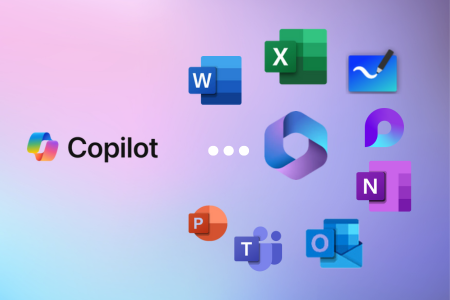
Copilot with M365 apps.
Free Post-course Support
100% Quality
Guarantee
Interactive
Learning
eCertificate of Attendance

Introduction to Microsoft 365 Copilot Chat

$540per person

In Person Virtual

Location: Level 1 Cloisters, 863 Hay Street, Perth WA 6000
Time: 9:00 am to 4:00 pm
Duration: 1 Day

Join in-person at our vibrant Perth CBD training centre. Lunch and refreshments are provided for all in-person attendees. Our training centre is centrally located and easily accessible by public transport.

Course Overview

Course Overview

Join Our 1-Day Copilot Course – Master AI Chat for Business Use

Discover the power of Copilot Chat, the cutting-edge AI chat experience integrated into Microsoft 365. This 1-day course will show you how to leverage Copilot Chat daily to boost your productivity. Powered by broad knowledge from the web and designed with security in mind, Copilot Chat is available at no extra cost to most Microsoft 365 business users. It also offers enhanced privacy and security features, ensuring your data remains secure within your organisation. This introduction course has a strong focus on writing and refining prompts in Copilot Chat to help enhance your decision-making, problem-solving, and personal productivity.

Dates

Book a course

Course Information

Course Content

Introduction

  • Overview of generative AI
  • Overview of Copilot Chat
  • Different ways to access Copilot Chat

Copilot Chat Features

  • Powerful web searching
  • Using Copilot with your own documents
  • Working with images
  • Saving and sharing prompts and responses
  • Surprising ways Copilot Chat can save you time

Crafting Prompts

  • Identify elements of a prompt
  • Compare types of prompts and refining techniques
  • Tailor Copilot Chat to enhance efficiency, problem-solving and creative thinking in your professional work
  • Hands-on exercises to create and improve prompts to enhance your AI experience

Copilot Agents

  • What is an Agent?
  • Microsoft’s Copilot Agent Templates
  • Create and configure Agents with Copilot Studio
  • Use and share Agents across your organisation

Overview of Microsoft 365 Copilot

  • Differences between Copilot Chat and Microsoft 365 Copilot
  • Microsoft 365 Copilot License requirements
  • Using Copilot in other Microsoft 365 apps

Limitations and Ethical Considerations

  • Limitations of Copilot Chat
  • Ethical considerations of Copilot Chat
  • Best practice for ensuring security and privacy of data when using Copilot Chat

By the end of the workshop, participants will be able to:

  • How Copilot Chat leverages AI to provide fast and accurate answers to queries
  • Composing prompts to assist with decision-making, problem-solving, and personal productivity
  • How Copilot Chat works with other Microsoft apps, such as writing formulas in Excel, generating content in PowerPoint, and optimising email communication
  • How to create and use Copilot Agents
  • The limitations of Copilot Chat and considerations for its ethical use

There are no prerequisites to attending this course; it is suitable for anyone interested in Microsoft 365 Copilot Chat.

“This was a great course, and has given great ideas on how we can implement this into a workplace” Gavin from BGC

FAQs

Which Copilot courses would you recommend I complete next?
Are your courses available online or in person?